
shot-result-hub
Collect hits. Show results. A web interface that reads shooting results from the club software's database and turns them into result lists. The public results page works equally well on smartphone, tablet and desktop and is so simple that every shooter finds their own results without detours. The project is still in an early test phase.
How the project started
It began with an idea at my local shooting club. For the village shoot that takes place every year, the result lists have to be put together by hand, and that takes a lot of work. The software is meant to take over that work.
Status: on the way from an idea to a finished app. The first trials with real events are under way. Features still change, some are missing, and the source code is not public yet. The current version is 0.1.2 (early alpha). The screenshots on this page show made-up example data.
Where the data comes from
The club uses the Optic Score Server from Disag. It stores shots and results in an SQL database (Microsoft SQL Server). shot-result-hub reads that database strictly read-only and lets you assemble the result lists the way you need them. The project is independent and not affiliated with Disag.
Today the setup is built entirely around the database structure of Disag Optic Score. Connecting other manufacturers, for example Meyton, would be possible in the future.
How it is built
The picture shows the setup in a heavily simplified form.
- Read-only: The software never writes to the Disag database.
- Local cache: The Disag PC is under heavy load during a competition. A job therefore copies the data at fixed intervals, every five minutes by default. Result lists are built from that copy only.
- Administration without login: It runs inside the club network only.
- Public results page: A separate, slim container serves finished files. It has no connection to the database or to the administration.
- One event at a time: The club has its own Disag database for each season and each single competition. The software knows several, but never combines them. Exactly one is active.
The modules
Start page
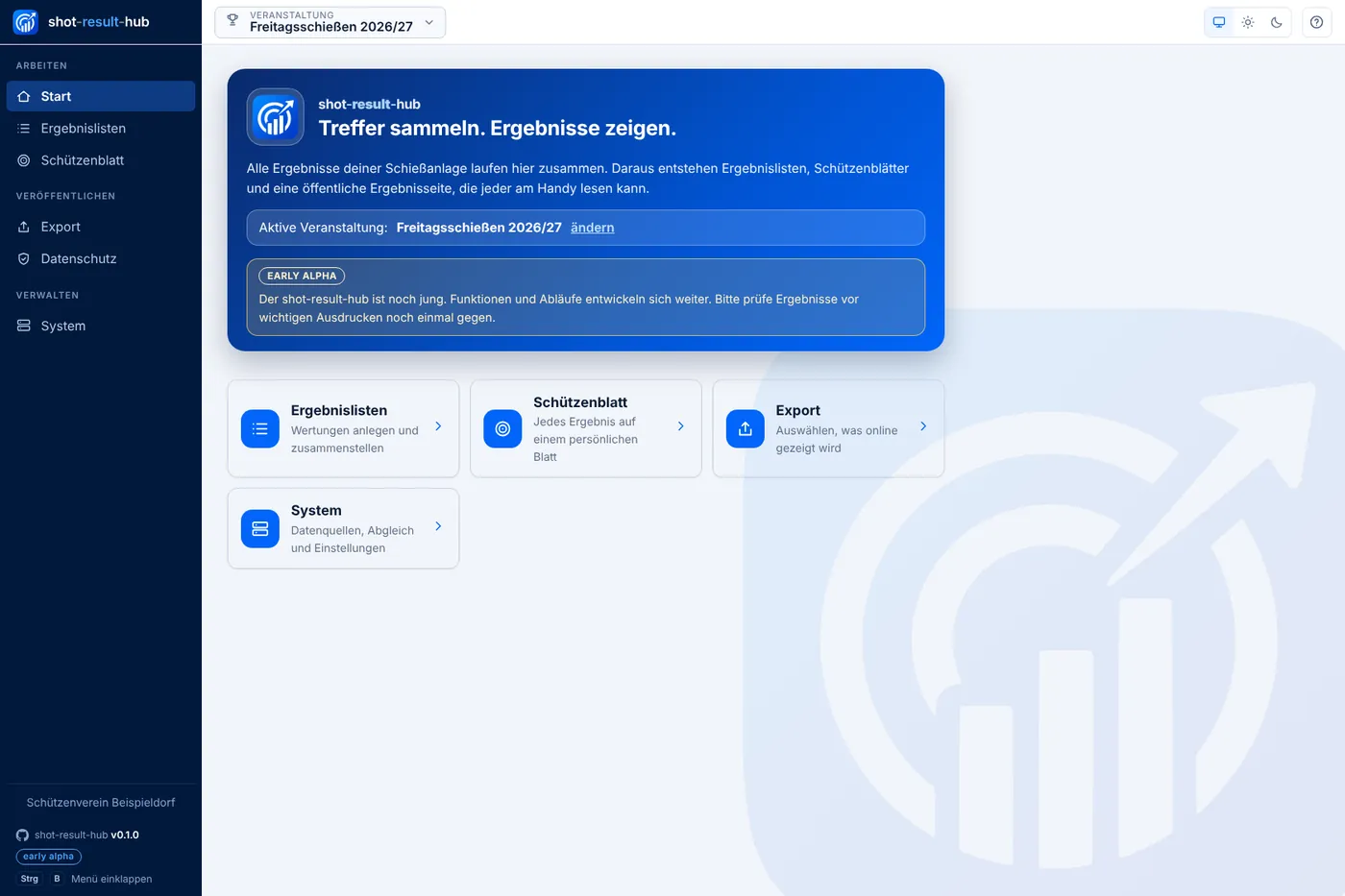
The start page briefly explains what the software does. Below it, four cards lead to the main areas: result lists, score sheet, export and system. The top bar shows the active event; with several you switch it there. A help panel slides out when needed.
System
Here you set the club name and logo, the connection to the SQL server and the active event, and you set the sync interval for each database. A status page shows whether the program, the database and the Disag system are fine, and it refreshes every 30 seconds. The credentials stay inside the container, and the interface never shows a password. There is also a backup: lists, settings and logo can be saved as a ZIP and restored. The last five backups stay on the server, and by default it runs automatically every week.
Score sheet
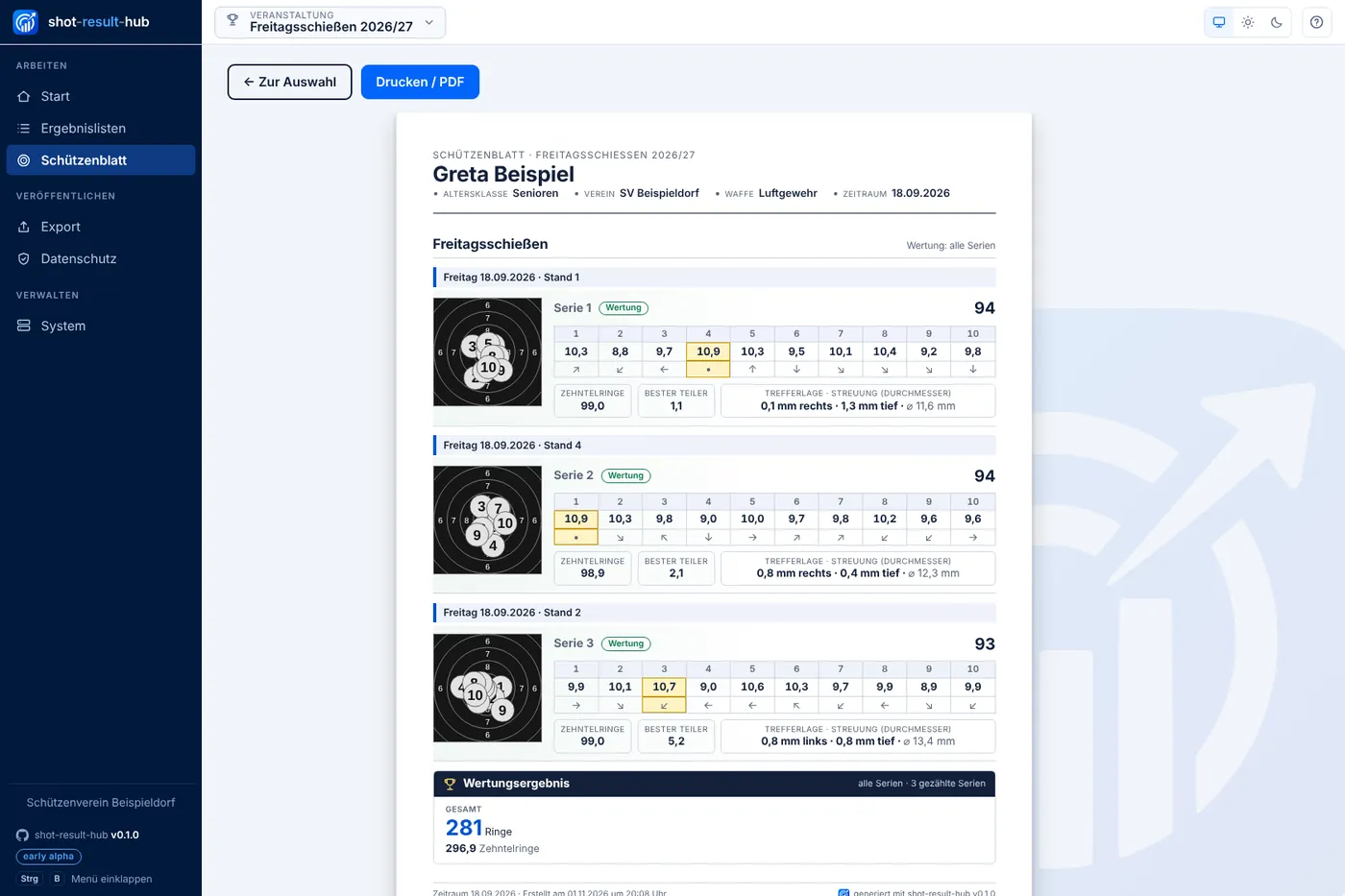
The personal result sheet of a shooter with series, total, shot pattern and spread. You choose which series count: the first, the last or the best ones. Optionally the sheet shows the trend of the daily results and the shot rhythm. There is an A4 view for printing.
Daily and annual ranking
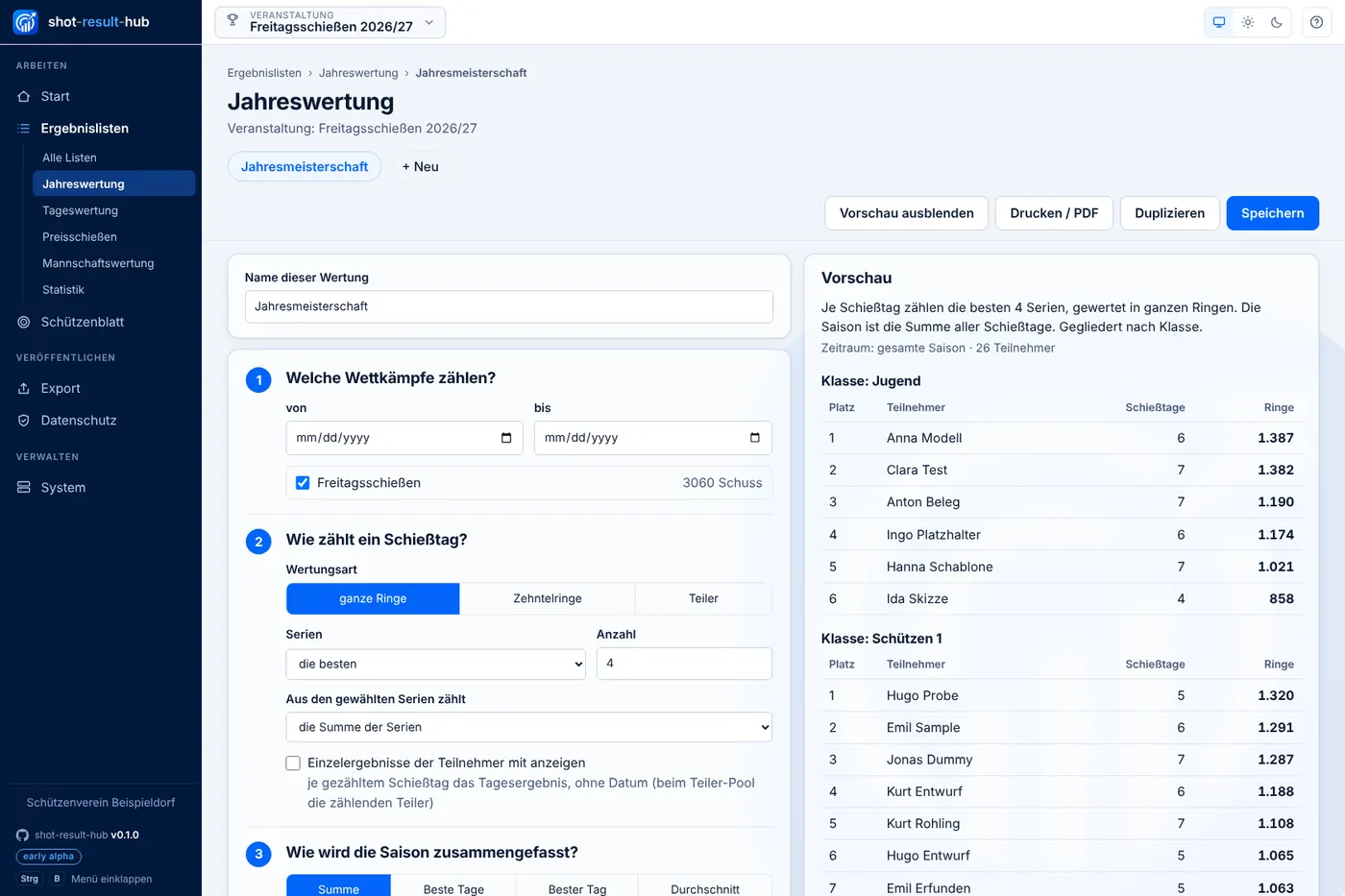
You build the ranking yourself: ranking type, minimum number of shooting days, grouping and further filters. Each event can have any number of rankings, each with its own name. A preview recalculates live. Shooters below the minimum can still be shown on request, greyed out and without a rank.
Team ranking
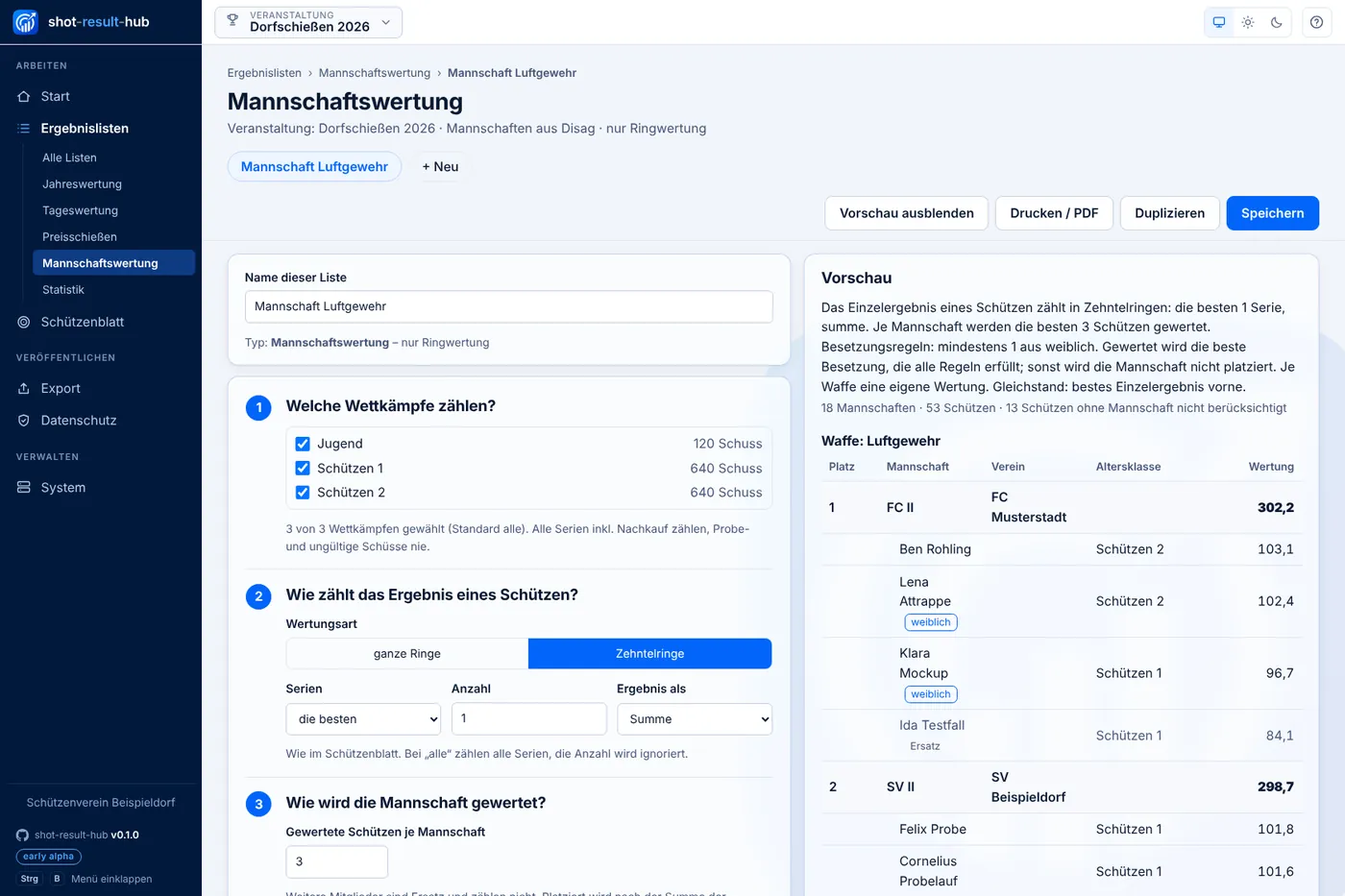
Teams are ranked by rings, whole or in tenths. The teams come from Disag. For each list you decide how many shooters count per team and which rules apply to the line-up, for example at most two from one group or at least one woman. Shooters who do not count stay visible as substitutes, greyed out.
Prize shoots
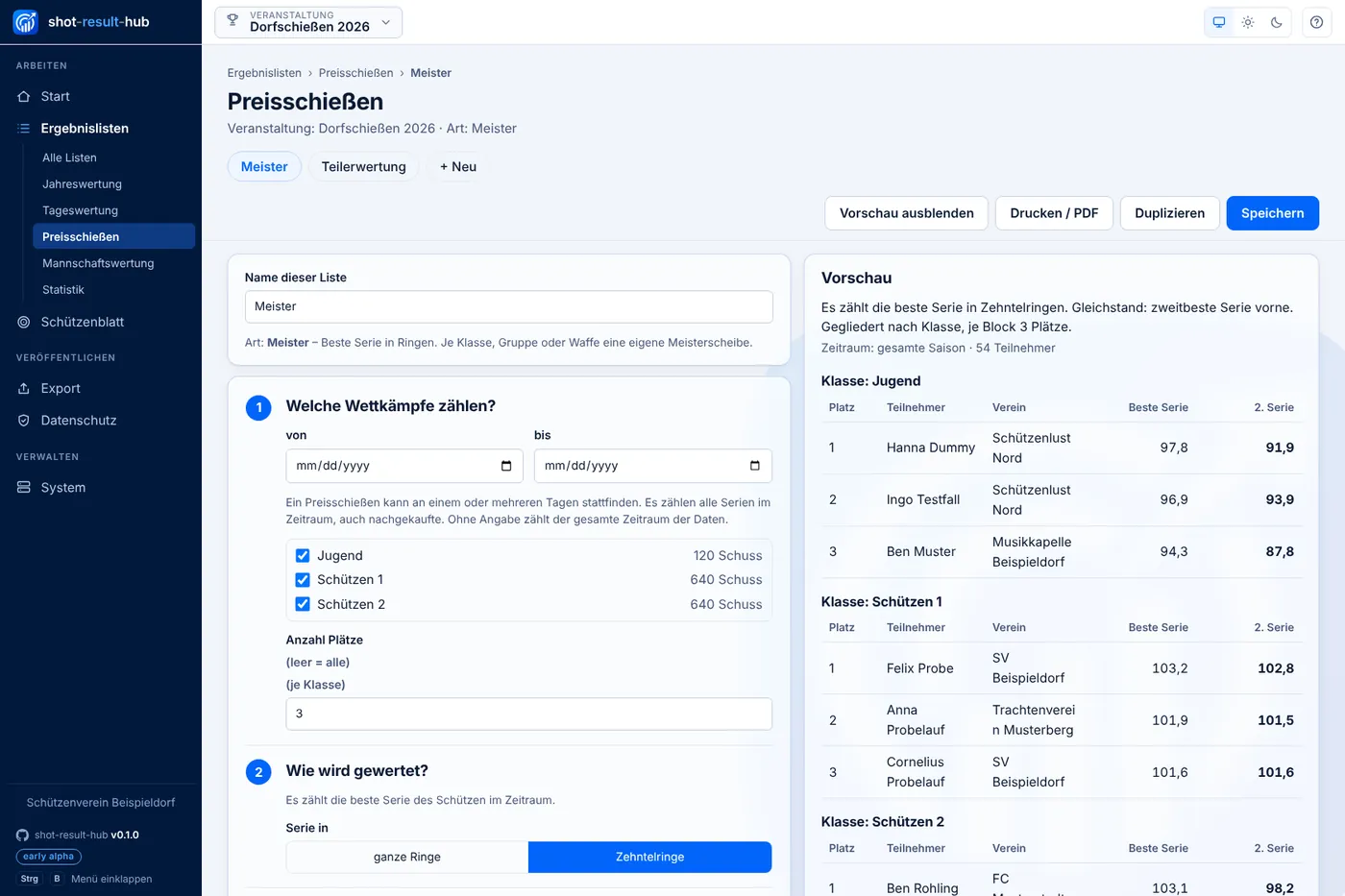
You create several lists and choose the type for each one. Meister ranks the best series in rings, with its own target per group or class. Punkt ranks the best divisor, with factors per weapon as a balance. With a fixed target divisor, the smallest deviation wins. Adler ranks alternately by best divisor and best series, starting with the divisor.
Statistics
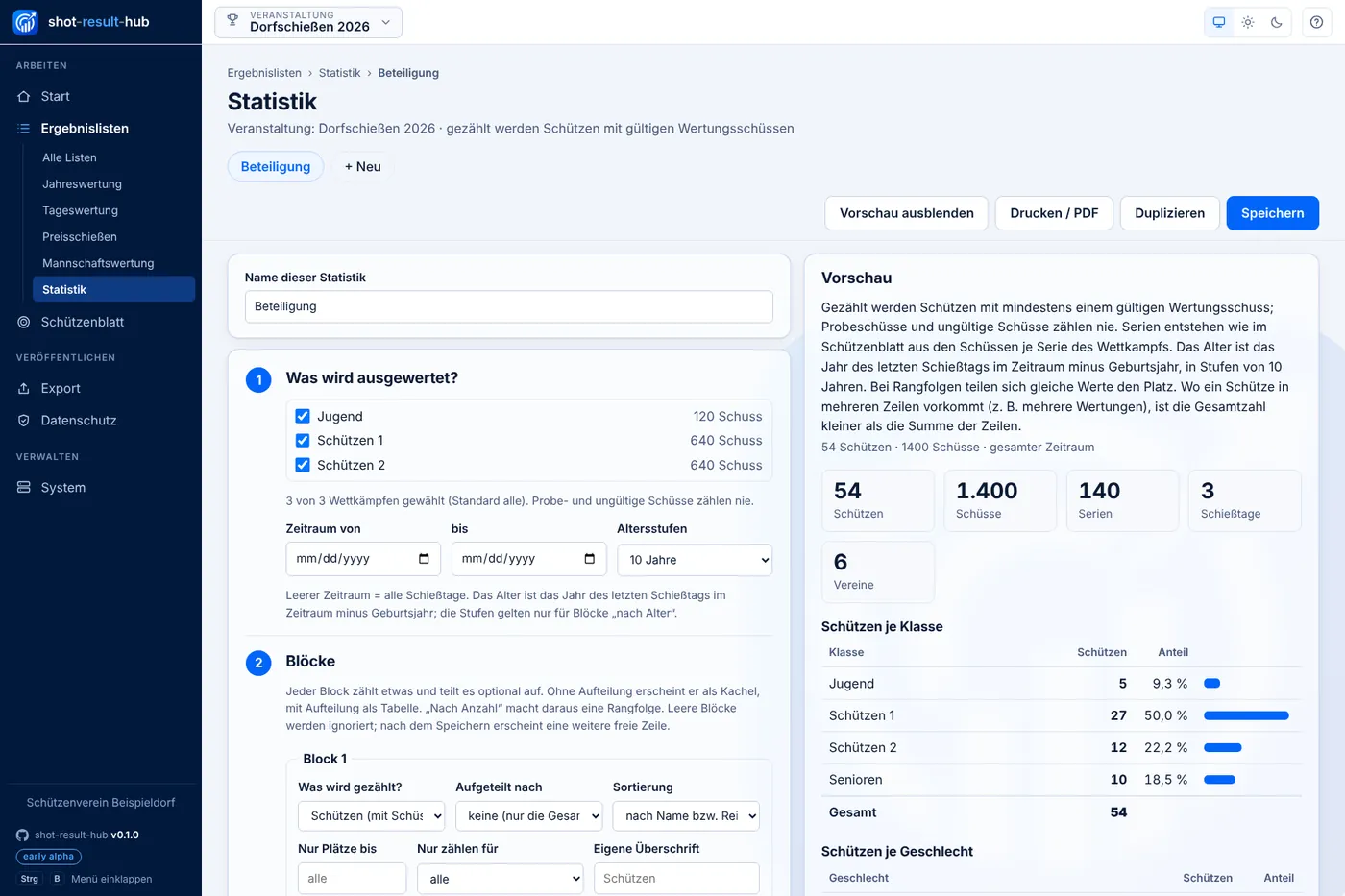
A building kit: you put blocks together, for example the number of shooters with shots, total shots, or teams and clubs per class, group, ranking or gender. Participation lists by shooting days, shot count or club come on top. The display is tables with simple bars.
Export and public results page
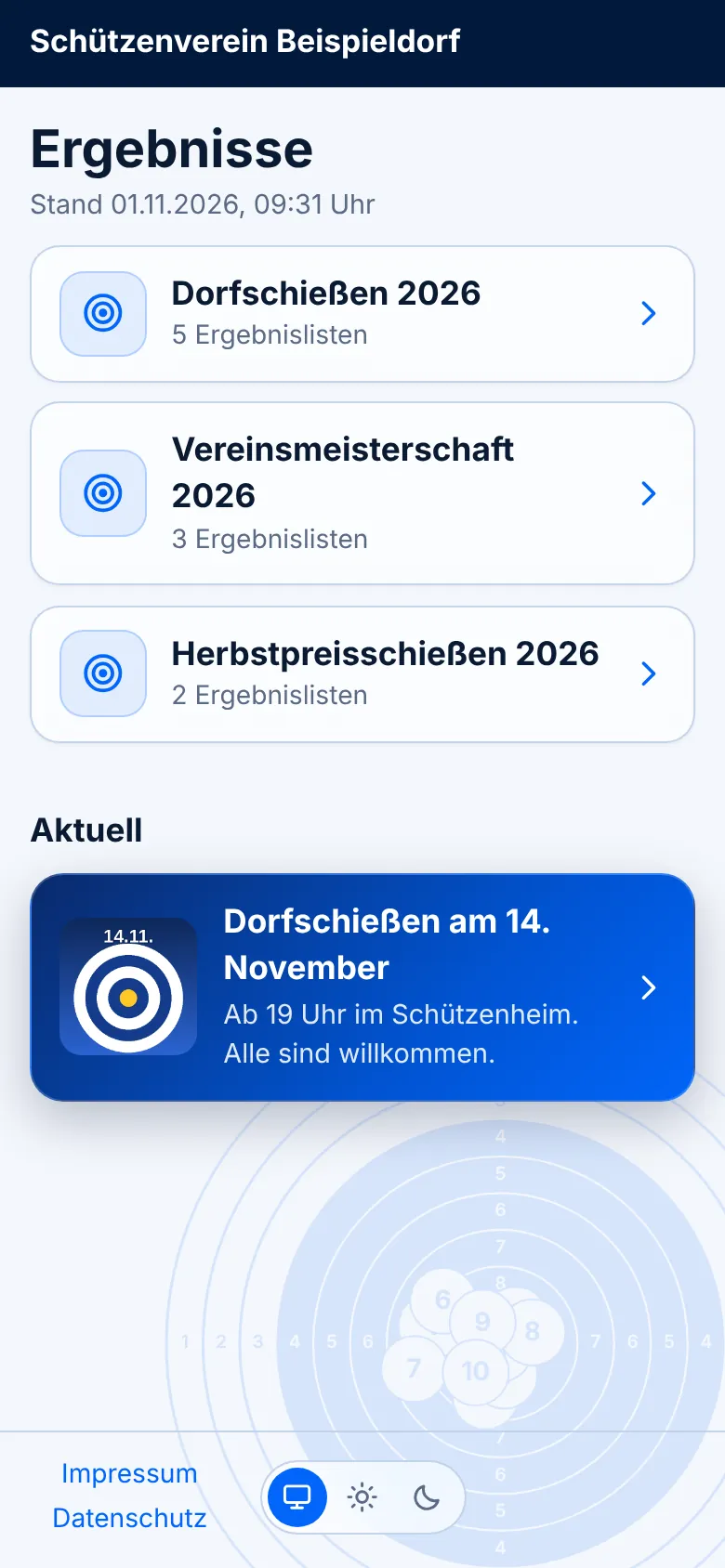
Under Export you set in a table which events, result lists and score sheets are published and how often the page refreshes. The software builds a static page from that, which a separate container serves. Visitors pick the competition first, then the list, and can search for their name. The page is designed for simple, intuitive use and adapts to smartphone, tablet and desktop. With no login and no learning curve, every shooter quickly gets to their own results. The club decides what a score sheet shows. The second example uses a slim header so the shot pattern is visible right away. A highlight box with an image, text and link can appear on the start page, for example for the poster of the village shoot.
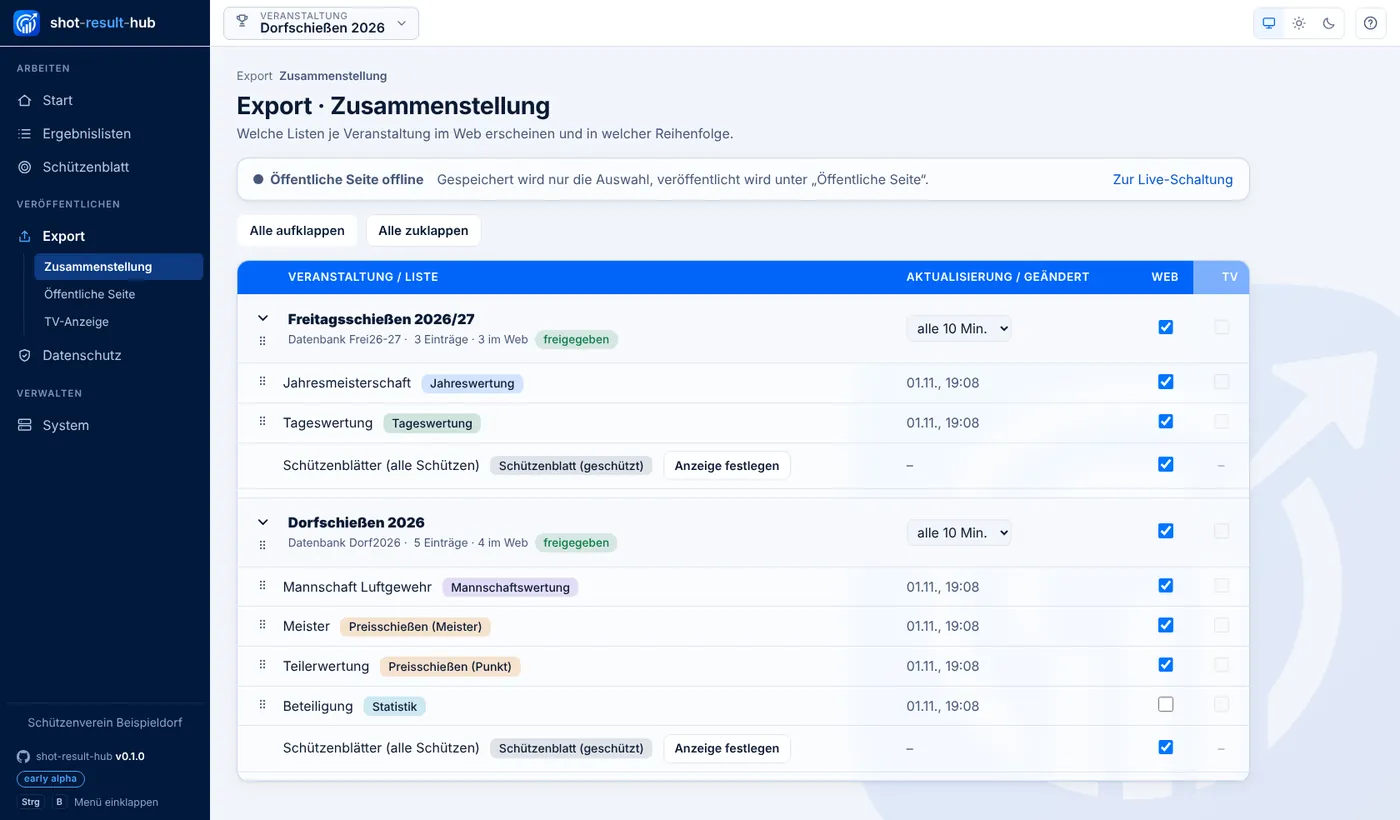
Visitors find a score sheet only with the start number and surname. Single rankings can be hidden, for example until the award ceremony. If you untick a row in the table, the list disappears from the web server at once.
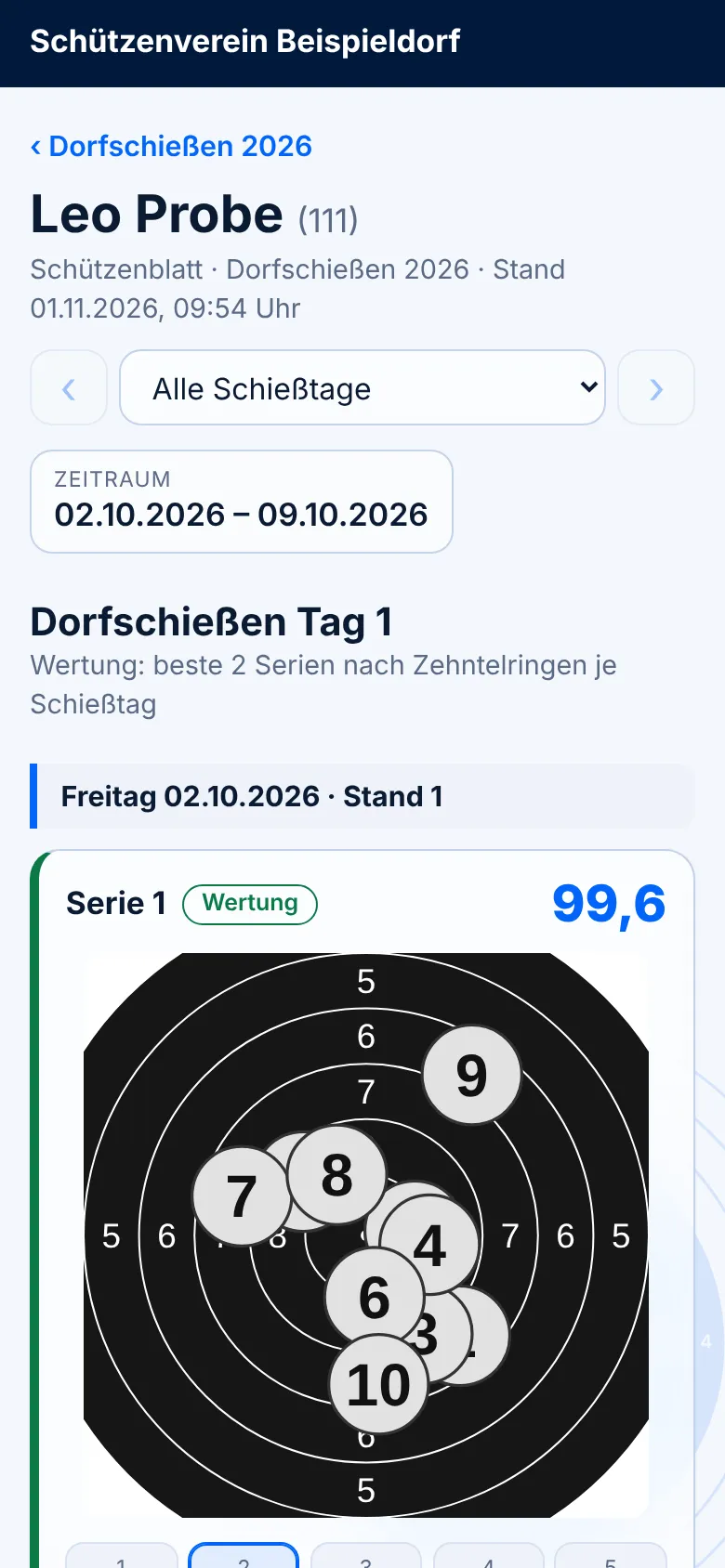
I have put HTML export and a TV display on hold for now.
Archive and privacy
If an event is removed from the Optic Score Server, it stays available with its data, read-only. The software points this out and archives only after you confirm. On the public page such events appear under a separate "Archive" button. If a shooter objects to publication, you hide their name per event. The row, rank and result stay, and the name is replaced by a notice.
Technology in short
Python 3.12 with FastAPI, pages rendered on the server with Jinja2 and HTMX, own data in SQLite, everything in Docker. There are no cookies. The choice between light and dark design stays in the browser.
What comes next
I keep testing and tidying up. After that, these steps are planned:
- Open source: The project is licensed under the AGPL-3.0 and should be easy to install, as a Docker stack or with a script, for example on a Raspberry Pi. For now the source code lives in a private repository and will only become public later. Contributing is possible by arrangement only. Once the source code is public, I will link it here.
- Live shot patterns: A visualization that shows the shots while people are still shooting.
- Other manufacturers: Connecting systems such as Meyton would be possible in the future, but today everything is built around Disag Optic Score.
These are ideas, not promises. If you have questions or want to use it in your club, write to me via Contact.
The project is unofficial and not affiliated with Disag, Meyton or other manufacturers.